One system from the counter to the bench
RepairAmigo is free computer repair shop management software built inside a busy phone, console and computer repair shop, where it has processed more than 50,000 repair tickets. It runs on a computer in your own shop, and your team uses it from a browser on any computer, tablet or phone on the shop network.
Intake that’s the same for every PC and laptop
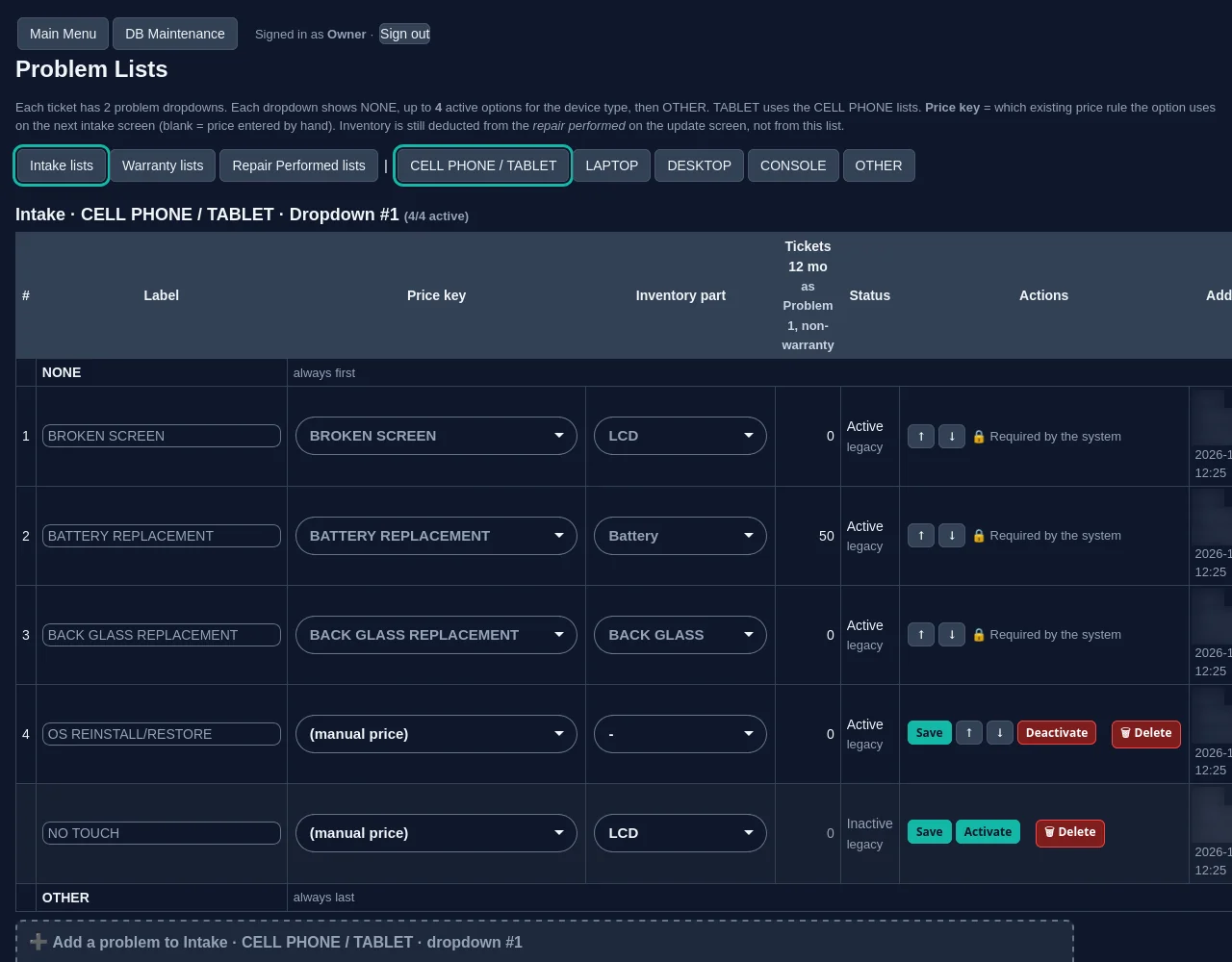
Returning customers come up by phone number, with their details filled in. Pick the device type, the brand and the model, then the problem from a list built for that device type. Laptop and desktop are built-in device types, alongside cell phone, tablet and console, plus Other for anything else, and you add the brands and models you work on. Your problem lists are yours: a laptop list can be completely different from a desktop or console list, and each option can carry its own price key and inventory link. Lists stay short (four options at most per step), so the counter isn’t scrolling through clutter. Record the serial number on the ticket so you can search by it later. The receipt prints with a barcode.
Quotes from your price list, not from memory
Pick the problem and RepairAmigo fills in labor, parts and tax from your price list. Minimum labor and add-ons are applied for you, so a quick diagnosis and a full rebuild are both priced the way your shop prices them. If a price is missing, it’s flagged instead of guessed. Managers change prices in one place, behind a manager password.
A ticket that tells the whole story
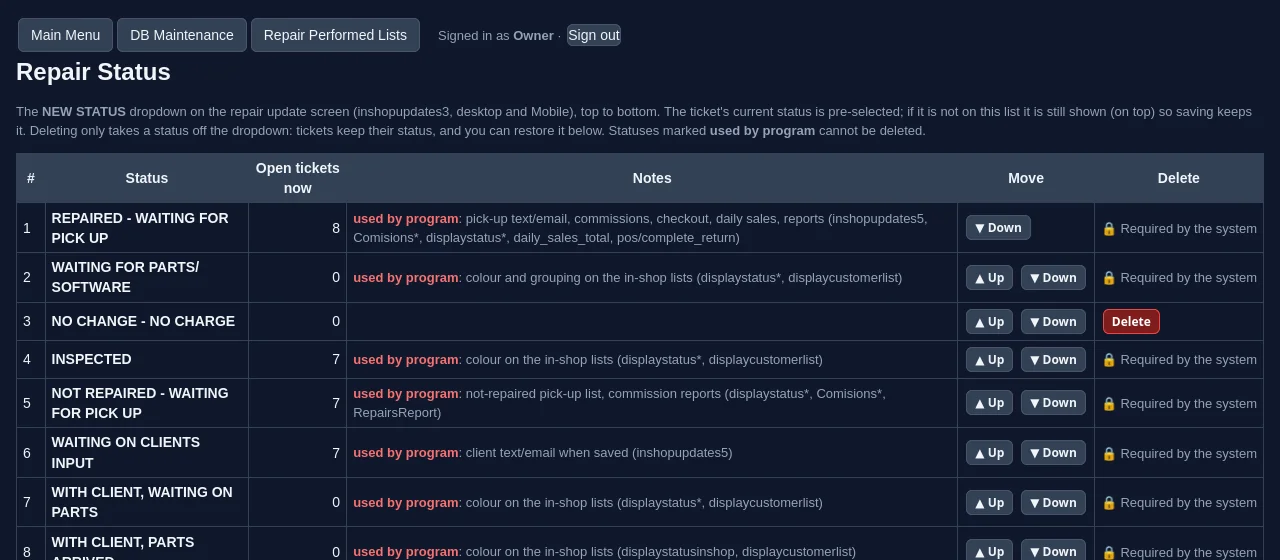
Every ticket shows the status, the repair performed, the assigned tech, the quoted price and comments on one screen. The Owner or a Manager can add, remove and reorder repair statuses, so “Waiting on customer approval” or “Waiting on parts” can be real statuses instead of sticky notes. Repair Performed lists are editable, with usage counts that show which options earn their spot. Commission is tracked per technician.
Parts inventory that follows the repair
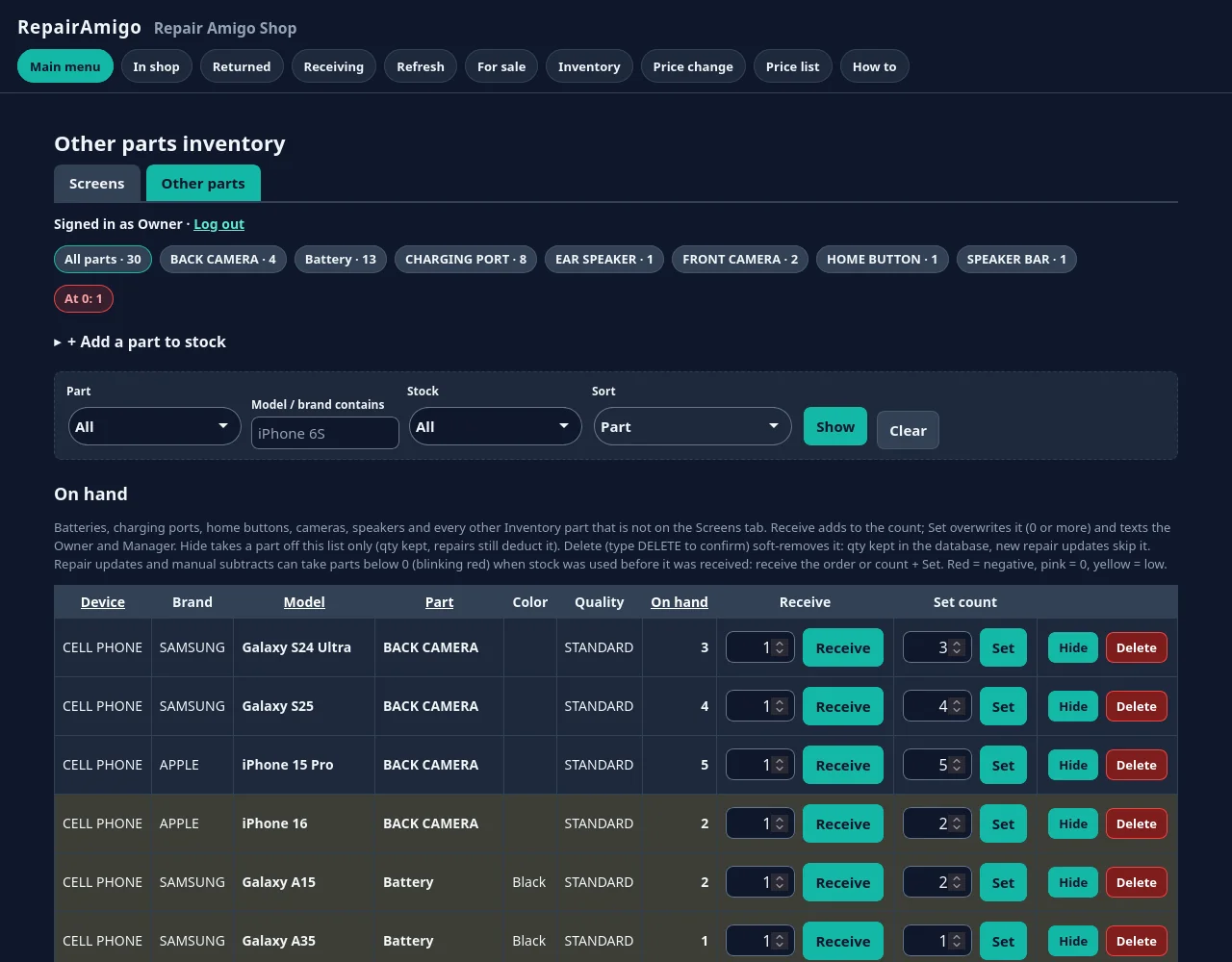
When a repair is saved, the parts used come out of inventory automatically, with full history linked to the tickets. Receive stock and set counts in one click; low and negative stock show up right on the ticket, and, with texting turned on, the Owner and Manager get a text when anyone changes a count by hand.
SSDs, HDMI ports, batteries, charging ports, cameras and speakers are built-in part types, and you can stock other part names in inventory too, so the drives and components your shop actually uses live in one list.
For a practical routine (naming, receiving, counts and reorder points), see our guide to repair shop inventory management.
Customer updates, warranty and the back office
- Texts (optional): automatic updates when a device is received, needs the customer’s input, or is ready for pick-up. Texting is off by default; you connect your shop’s own Twilio account and pay Twilio directly for messages.
- Warranty: warranty returns link to the original repair, get priority, and track the cost against the original tech.
- Cash: register and safe balances, deposits and withdrawals with typed confirmations, and a daily sales summary by text when texting is on.
- Roles: Owner, Manager and Technician, with change logs for every list.
- Reports and POS: sales, commissions, refunds and returns, plus a cash sale screen for cables, mice and other walk-in sales, and a devices-for-sale catalog.
What to look for in computer repair shop software
Whatever you choose, check these before you commit:
- Can you build your own problem lists and prices for desktops, laptops and consoles, or are you stuck with someone else’s categories?
- Do parts come out of inventory when the repair is saved, or does someone have to remember to do it at the end of the day?
- Are warranty returns tied to the original repair and tech, so you can see what comebacks really cost?
- Who holds the data, and can you export all of it without asking permission?
- Are there limits on how many tickets or users you can have?
RepairAmigo’s answers: yes, yes, yes, you do (a SQL backup, CSV tables or an encrypted migration package), and no: there are no ticket or user limits.
Free and self-hosted, which computer techs tend to appreciate
RepairAmigo runs as one virtual machine in the free VirtualBox software on a Windows, Linux or Intel Mac computer in your shop. You already know what that means: at minimum a 64-bit Intel or AMD host with 16 GB of RAM and 8 CPU threads, so the VM gets its 8 CPUs and 8 GB of RAM; a bridged network adapter; and a machine that stays on. Apple Silicon isn’t supported.
- It’s free. You get the same core tools you’d otherwise pay a monthly subscription for (repair tickets, inventory, a point of sale for cash sales, and reports). What “free” covers, honestly.
- Your data. The Owner can export a SQL backup, CSV tables or an encrypted migration package. There’s no phpMyAdmin or direct database access; everything is done inside the app.
- Your backups. Export regularly and keep copies off the host machine.
The setup guide covers everything from BIOS virtualization (VT-x / AMD-V) to headless auto-start.
Repairing phones too? See cell phone repair shop software. Consoles and other electronics? See electronics repair shop software.
Common questions
Is RepairAmigo free for computer repair shops?
Yes. RepairAmigo is free. It runs in VirtualBox, which is also free, on a computer in your shop.
Can I set up different problem lists for laptops and desktops?
Yes. Laptop and desktop are separate built-in device types, and problem lists are set per device type, each with its own options, price keys and inventory links.
What hardware does the host computer need?
At minimum: a 64-bit Intel or AMD computer with 16 GB of RAM and 8 CPU threads, running Windows 10/11, Linux or macOS on an Intel Mac. The RepairAmigo VM itself uses 8 CPUs and 8 GB of RAM. A wired network is best. Apple Silicon Macs are not supported.
Where do staff use it?
On your shop’s network. RepairAmigo runs on a computer in your shop, and staff open it in a web browser on any computer, tablet or phone connected to the shop network.
Questions?
Read the setup guide, email support@repairamigo.com, or go back to More about RepairAmigo.