From the counter, for the counter
RepairAmigo was built inside a busy phone, console and computer repair shop and has processed more than 50,000 repair tickets there. It runs on a computer in your own shop, and your whole team uses it from a browser on any computer, tablet or phone on the shop network.
Opening a new shop? Read how to start a phone repair business, step by step.
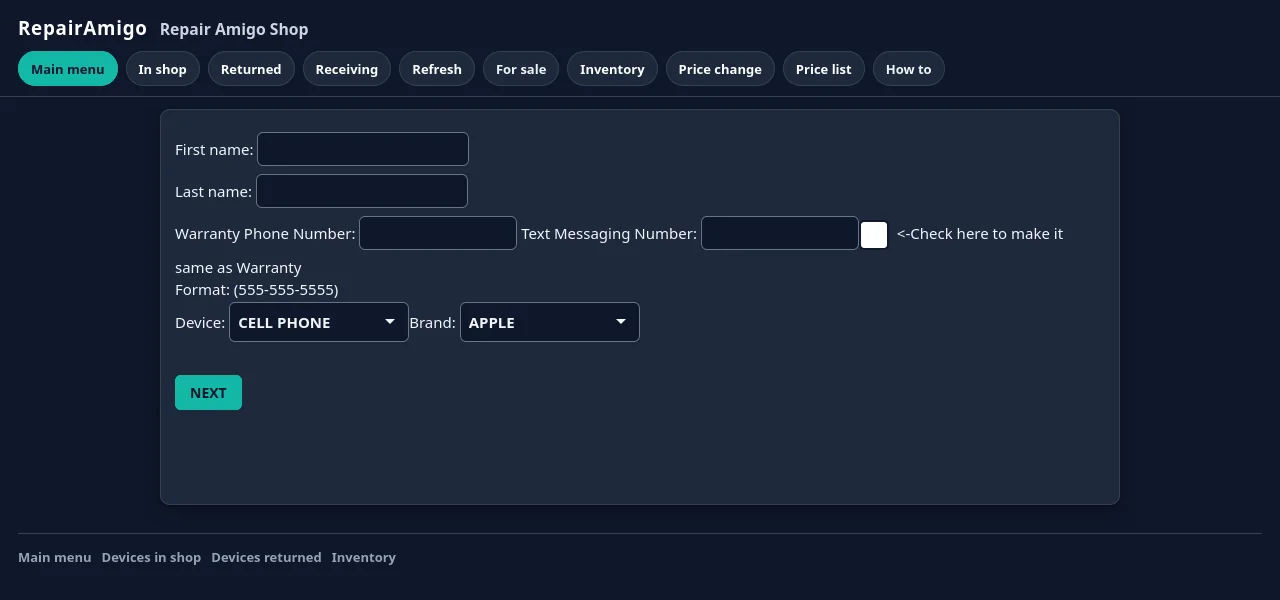
Intake in seconds
Type the customer’s phone number. If they’ve been in before, their details fill in by themselves. Pick the device, the brand and the model, then the problem from a short list built for that device type (never more than four options, so nobody scrolls through clutter). Record the serial number or IMEI on the ticket, so you can search by it later. Print a receipt with a barcode, and the phone goes on the shelf with a ticket attached. From intake to printed receipt takes about three clicks.
A price that’s the same every time
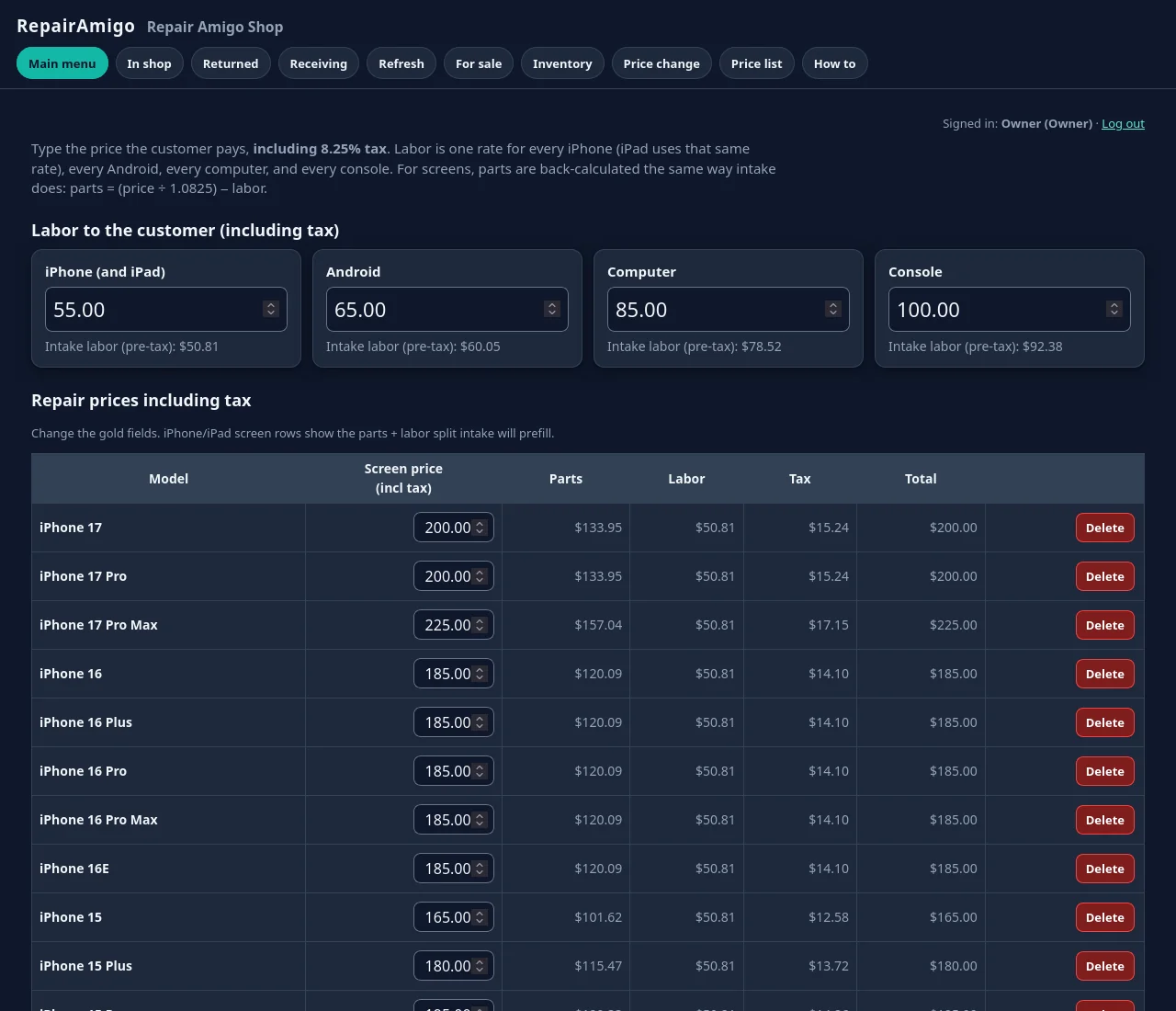
The moment the problem is picked, RepairAmigo calculates labor, parts and tax from your price list. Screen repairs get aftermarket and premium tiers, so the customer chooses and the counter doesn’t improvise. Minimum labor and add-ons are handled for you. If a price is missing for a model, RepairAmigo flags it instead of guessing, which is how you stop quoting a new screen at last year’s price. Managers edit the price list in one place, and every counter sees the change.
The bench knows what’s next
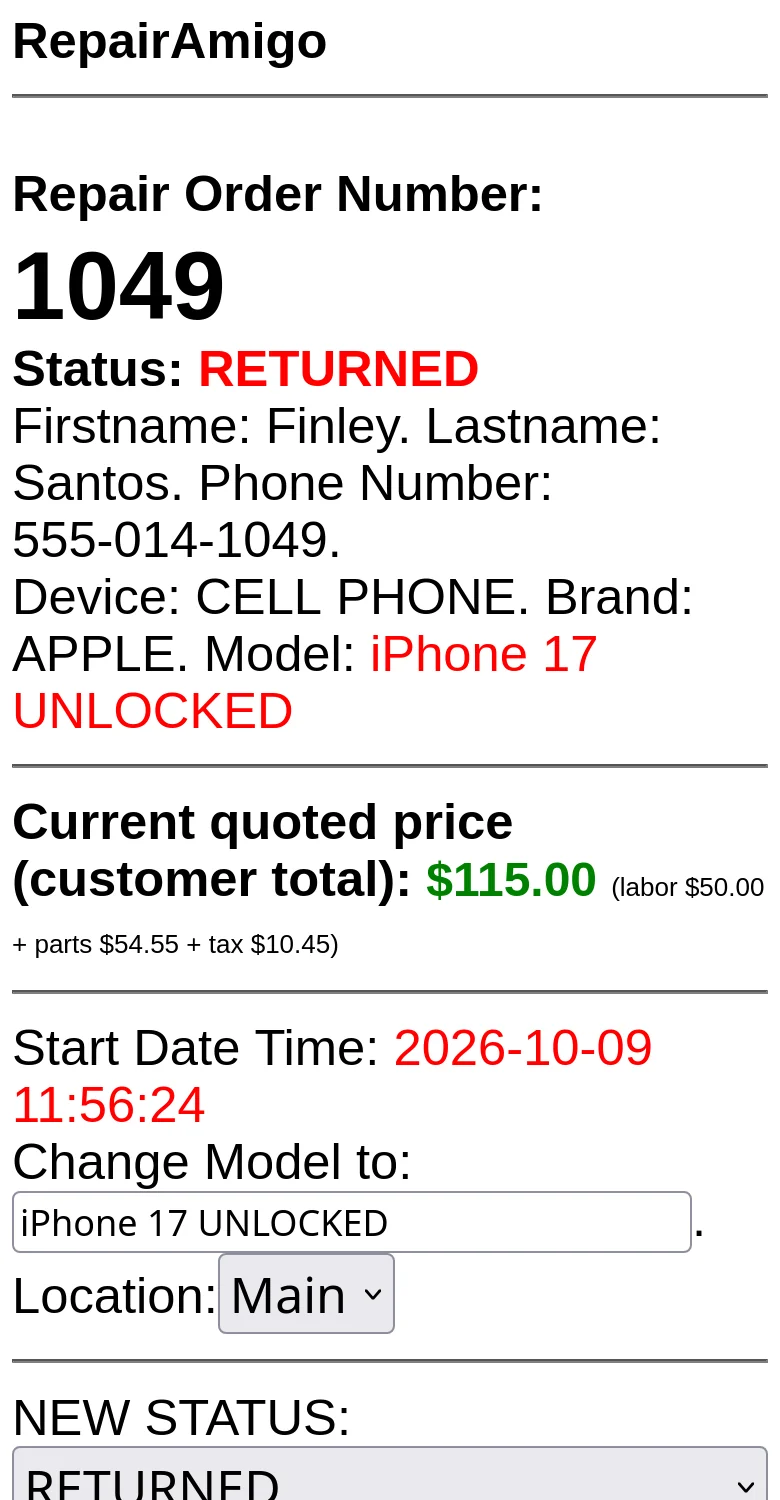
Techs update the ticket with the repair performed, a status and comments. Statuses are yours: the Owner or a Manager can add new ones, put them in your order, and remove the ones you don’t use (a few critical ones stay locked). Each ticket shows the assigned tech, the quoted price and the full story on one screen, and commission is tracked per tech.
Screens and parts count themselves
When a repair is saved, the screen or part comes out of inventory automatically. Screens are tracked by model, quality and color, alongside built-in part types for batteries, charging ports, cameras and speakers, and you can stock any other part names you carry. Stock that drops below zero blinks red so it gets reordered, and low or negative stock warnings show right on the ticket. Receiving stock and setting counts takes one click, and, with texting turned on, the Owner and Manager get a text when someone changes a count by hand. Every movement links back to its ticket.
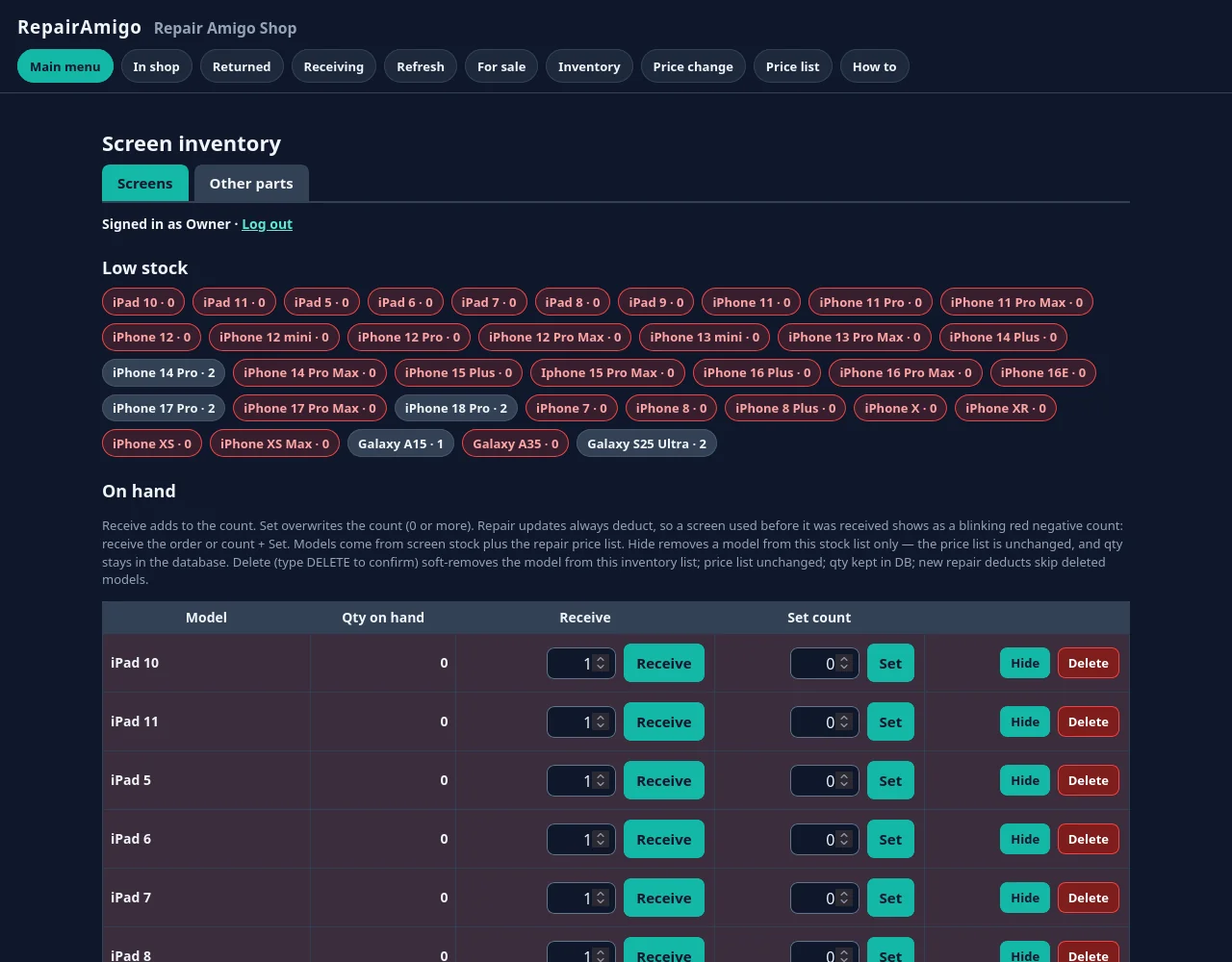
For a practical routine (naming, receiving, counts and reorder points), see our guide to repair shop inventory management.
Customers get a text, not a phone call
With texting turned on, RepairAmigo texts the customer automatically when the device is received, when you need their input, and when it’s ready for pick-up. The text settings are editable in the app. Texting is optional and off by default: you connect your shop’s own Twilio account and pay Twilio directly for messages. It needs an internet connection.
Warranty returns that don’t get lost
When a phone comes back under warranty, the new ticket links to the original repair, gets priority, and its cost is tracked against the original technician. Warranty tickets stand out in red, with their own receipts, banners and problem lists.
Accessories, walk-ins and closing the drawer
A cash sale screen handles cases, chargers and screen protectors for walk-in customers. Cash management keeps register and safe balances, morning and sales deposits, and withdrawals with typed confirmations. With texting on, a daily sales summary can arrive by text. Reports cover sales, commissions, refunds and returns, and there’s a devices-for-sale catalog and referral codes too.
Run it from the bench, too
The same rules, prices and checks work in a phone browser. Techs can update tickets and count stock from the bench without walking to the counter PC. There’s no app to install from an app store: open RepairAmigo in the browser and add it to the home screen.
Your shop, your server, your data
RepairAmigo is self-hosted. It runs as one virtual machine in the free VirtualBox software on a Windows, Linux or Intel Mac computer in your shop. That means:
- It’s free. You get the same core tools you’d otherwise pay a monthly subscription for (repair tickets, inventory, a point of sale for cash sales, and reports). What “free” covers, honestly.
- Your customer list stays on your computer. The Owner can export everything as a SQL backup, CSV tables or an encrypted migration package.
- You look after the host computer and the backups. Keep it on during business hours, use a host with at least 16 GB of RAM and 8 CPU threads (minimum) so the VM gets its 8 CPUs and 8 GB, and export regularly. Apple Silicon Macs aren’t supported.
Setup is covered step by step, with screenshots, in the setup guide.
Also fixing laptops and consoles?
RepairAmigo handles them in the same system, with per-device problem lists. See computer repair shop software and electronics repair shop software.
Common questions
Is RepairAmigo free for cell phone repair shops?
Yes. RepairAmigo is free. It runs in VirtualBox, which is also free, on a computer in your shop.
Can it price aftermarket and premium screens differently?
Yes. Screen tiers are built into pricing, along with minimum labor and add-ons. Labor, parts and tax come from your own price list.
Does it keep track of screens and parts?
Yes. Screens are tracked by model, quality and color. Batteries, charging ports, cameras and speakers are built-in part types, and you can stock other part names too. Screens and built-in parts are deducted automatically when a repair is saved, with low and negative stock warnings.
Can I record a phone’s serial number or IMEI?
Yes. Every repair ticket has a serial number field. Record the serial number or IMEI on each ticket and search by it later.
Is there an iPhone or Android app?
No app-store app. RepairAmigo works in the browser on any phone or tablet on your shop network, and you can add it to the home screen.
Questions?
Read the setup guide, email support@repairamigo.com, or go back to More about RepairAmigo.